Saturation adds harmonics. That's the whole trick. Those extra harmonics are what make a track feel bigger, warmer, and more present without you touching the volume much at all.
It's what makes a vocal jump out of the speakers, what gives drums that dense, glued-together feel, and what helps a flat bass finally read on small speakers. Some of it's subtle. Some of it's aggressive. And yes, in-the-box saturation holds up against analog now, no apology needed.
Here are five plugins I keep reaching for. I'll tell you which ones are gentle and which ones will tear your track apart if you let them. No promises about transforming your mixes. Just what each one does and what I think.
TABLE OF CONTENTS
How I picked these
I judged these on four things: character, flexibility, CPU load, and how often I actually reach for them in real sessions. That last one matters most. A plugin can look great on paper and still gather dust.
Saturation isn't one single thing, either. Some plugins give you tube warmth that rounds everything off. Some give you transistor grit with more edge. A few do both. That's why this list has range instead of five plugins that all do the same job.
One thing to keep in mind the whole way through: less is more. A little saturation goes a long way, and it's easy to overcook. If you want the tape flavor of this same idea, I've also covered the best tape emulation plugins separately.
Waves BB Tubes
#1
Best Overall
Waves BB Tubes
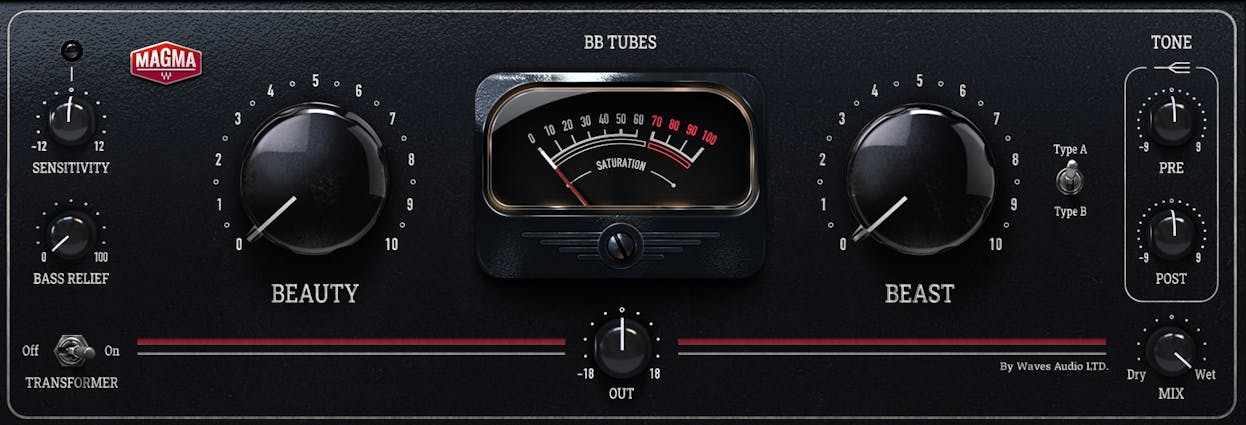
BB Tubes is tube saturation from the Waves Magma series, and it's built around two knobs with two very different personalities. The Beauty knob is for gentle, rounder, fatter harmonic warmth. The Beast knob is for immediate attitude, and it'll take you all the way up to full-on distortion if you push it. There's also an A/B switch to flip between two tube textures.
A scenario where this might be useful is a lead vocal that needs to sit forward in the mix, or a flat DI bass that needs some body and weight. You dial in a vibe fast and move on.
Honestly, its simplicity is the appeal. There's not much to get lost in here, which is exactly why I keep it close for warmth work. If you want the full spec rundown, Waves has it on the official BB Tubes page.
Pros
- Fast, intuitive two-knob workflow
- Beauty knob is genuinely lovely for subtle warmth
- Beast knob covers everything up to full distortion
- A/B switch gives two distinct tube flavors
Cons
- Simplicity means less fine control if you want it
- Not the plugin for surgical, band-specific saturation
Solid State Logic X-Saturator
#2
Top Pick
Solid State Logic X-Saturator
The X-Saturator models analog circuitry and gives you a choice: 2nd-order valve-style warmth, 3rd-order transistor grit, or a blend of the two. In plain terms, even harmonics tend to feel smooth and musical, while odd harmonics feel edgier and more aggressive. Being able to dial between them from one plugin is the whole point.
That makes it great on drums, vocals, and mix buses, because you can lean warm or edgy depending on the source. It's the kind of thing I'll drop on a bus when I know I want some character but haven't decided which flavor yet.
With that being said, it's not perfect. It's on the heavier side for CPU, there's no oversampling, and if you push the odd harmonics hard they can get harsh in a hurry. It runs in AAX, AU, and VST on 64-bit systems.
Pros
- Blend between valve warmth and transistor grit in one plugin
- Works well on nearly any source
- Easy to use with a clear layout
- High-quality analog-modeled sound
Cons
- Higher CPU usage than some competitors
- No oversampling
- Odd harmonics can turn harsh when pushed
FabFilter Saturn 2
#3
Top Pick
FabFilter Saturn 2
Saturn 2 is multiband distortion and saturation with 28 styles, per-band saturation types, and FabFilter's usual clean, readable interface. It's still the current shipping flagship, so if you've seen mentions of a "Saturn 3" floating around, I couldn't confirm one exists. Saturn 2 is what's real right now.
The multiband part is where it earns its keep. A scenario where this might be useful is a guitar where you want grit on the top end but clean, untouched lows. You split the bands, saturate only the top, and leave the low end alone. Try pulling that off with a single-band plugin.
Here's the honest catch: all that depth is both the strength and the trap. It's easy to fall into over-tweaking and lose an hour tuning bands. Less is more still wins here. It's available in VST, VST3, AU, CLAP, AAX, and AudioSuite on Windows and macOS.
Pros
- Per-band saturation gives serious frequency control
- 28 styles cover a huge range of textures
- Clean, intuitive FabFilter interface
- Wide format support
Cons
- Depth invites over-tweaking
- Can be more than you need for simple warmth tasks
Soundtoys Decapitator
#4
Top Pick
Soundtoys Decapitator
Decapitator gives you five analog saturation models and it's been an industry go-to for over a decade. Here's the honest bit: it hasn't had feature updates beyond compatibility work, and it doesn't need them. It still solves problems faster than most newer plugins.
A scenario where this shines is a bassline that won't read on small speakers, drums that need density, or a lead and vocal that need presence and a little edge. It ranges from subtle mix glue all the way to aggressive sound design, depending on how hard you lean on it.
It earns its reputation because it just works. You reach for it, dial a model, push it a touch, and the track sounds finished. It runs as a 64-bit VST2, VST3, AU, and AAX plugin. If you like the whole analog-in-the-box idea, it pairs nicely with the thinking in Pro Tools HEAT.
Pros
- Five distinct analog models with real character
- Fast to get a great result
- Covers subtle glue to full sound design
- Rock-solid reputation for good reason
Cons
- No new features in years, just compatibility updates
- Single-band only, no per-frequency control
KIT Plugins Burier
#5
FREE
KIT Plugins Burier
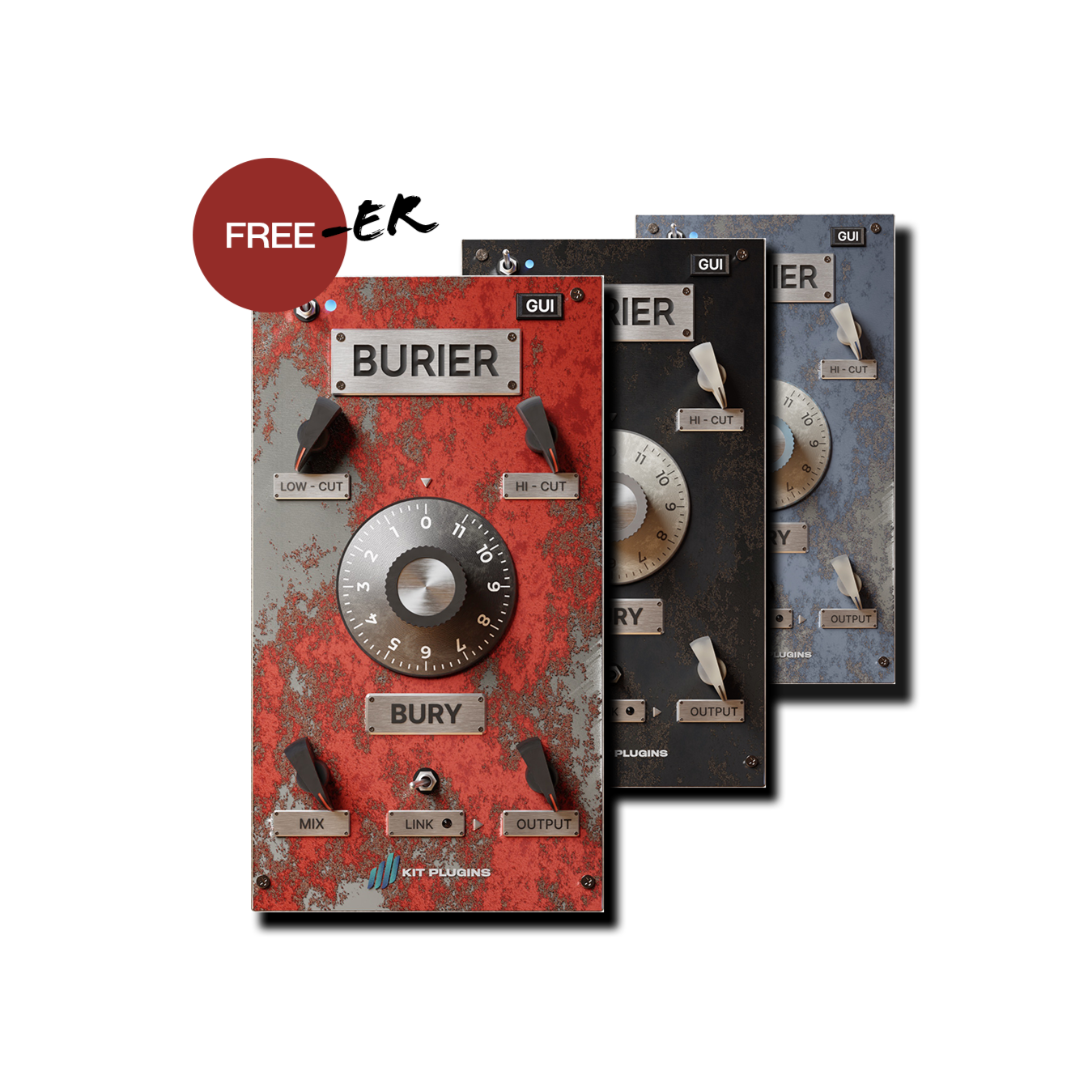
Burier is a free saturation plugin, currently version 2.0, with 3 color options and a resizable HD interface. The signal chain is smarter than you'd expect for something that costs nothing: a saturation stage feeding a pair of resonant 12 dB/octave filters modeled on an analog SVF circuit, then output attenuation and a dry/wet mixer.
It ranges from subtle overdrive to sizzling distortion, and it's aimed at drums, bass, vocals, busses, and FX. The name says it all — it's built to bury a source in character when you want it. Honestly, it's impressive that this is free.
One caveat worth flagging: macOS support has historically been Intel-focused. If you're on Apple Silicon, make sure you check the current compatibility status before you build a whole chain around it. For more no-cost picks, I rounded up the best free plugins separately.
Pros
- Completely free
- Resonant filter stage adds real shaping options
- Covers subtle overdrive through heavy distortion
- Resizable HD interface
Cons
- Apple Silicon support has been shaky — verify first
- Fewer flavors than the paid options here
| Plugin | Saturation Type | Best For | Format Support |
|---|---|---|---|
| Waves BB Tubes | Tube (Beauty/Beast) | Fast warmth on vocals and bass | VST, AU, AAX |
| SSL X-Saturator | Valve/transistor blend | Versatile character on any source | VST, AU, AAX (64-bit) |
| FabFilter Saturn 2 | Multiband, 28 styles | Frequency-specific control | VST, VST3, AU, CLAP, AAX, AudioSuite |
| Soundtoys Decapitator | Five analog models | Quick, finished-sounding results | VST2, VST3, AU, AAX (64-bit) |
| KIT Plugins Burier | 3 colors + resonant filters | Free grit for drums, bass, FX | VST, AU (check Silicon status) |
Frequently Asked Questions (FAQs)
What does saturation actually do to a mix?
Saturation adds harmonic content that makes a track feel warmer, fuller, and more present without raising its level much. It's what helps a vocal jump forward, gives drums density, and lets a bass read better on small speakers. Used lightly, it glues a mix together.
Where should I use saturation in the signal chain?
You can use saturation almost anywhere, but the two most common spots are on individual tracks for character and on buses for glue. Put it early to shape a source, or on the mix bus for cohesion. There isn't one right answer here — trust your ears.
Do I need a paid saturation plugin, or is a free one fine?
A free saturation plugin is genuinely fine for most work, and KIT Plugins Burier proves it. Paid options like Decapitator or Saturn 2 give you more flavors and finer control, but you can get pro results without spending anything. Start free, upgrade when you hit a real limit.
What's the difference between tube, tape, and transistor saturation?
Tube saturation tends to be warm and rounded, tape adds a soft compression and gentle high-end roll-off, and transistor saturation is edgier with more bite. They're all just different harmonic flavors. Pick the one that suits the source rather than following a rule.
Can plugin saturation really match analog hardware?
Yes, modern plugin saturation holds up against analog hardware, and the "you need real gear" argument is basically done. The models capture the harmonics and behavior that matter, and in a blind test you'd struggle to pick them apart. Work in the box with confidence.
Final Thoughts
If you only grab one, start with whatever fits how you work. BB Tubes for fast warmth, Decapitator for quick character, Saturn 2 when you need surgical control, and Burier if you want to try the whole idea before spending a cent. There's no wrong pick here.
Just remember that saturation rewards restraint. A touch on the right tracks does more than a heavy hand across everything. Set it, bypass it, and if the track sounds worse without it, you're on the right path.
Some of the links within this article are affiliate links. These links are from various companies such as Amazon. This means if you click on any of these links and purchase the item or service, I will receive an affiliate commission. This is at no cost to you and the money gets invested back into Audio Sorcerer LLC.