Waves makes a ton of vocal plugins. Some of them earn a permanent spot on your tracks. A lot of them you'll open once and forget about.
These five are the keepers. They cover the real jobs a vocal needs done — level control, compression, cleanup, and harmonies — and I reach for all of them regularly. This isn't a hype list. It's what each one does, who it's for, and where it falls short.
Good news too: all five are still current and have all gotten updates fairly recently, so nothing here is abandonware. Let's get into it.
TABLE OF CONTENTS
How I picked these eight

There's no single best vocal plugin. It depends entirely on the job in front of you. A noisy bedroom recording needs something different than a perfectly captured studio take, and a rap vocal needs different treatment than a soft singer-songwriter.
So instead of crowning one winner, I picked one plugin for each of the core jobs a vocal usually needs: riding the level, compressing for character, cleaning up problems, and stacking harmonies. Cover those bases and you've covered most of what comes up.
One thing to keep in mind — less is more. You don't need all five on every vocal. Most tracks need two, maybe three. Trust your ears and only add what the vocal actually asks for.
Waves Vocal Rider
#1
Waves Vocal Rider
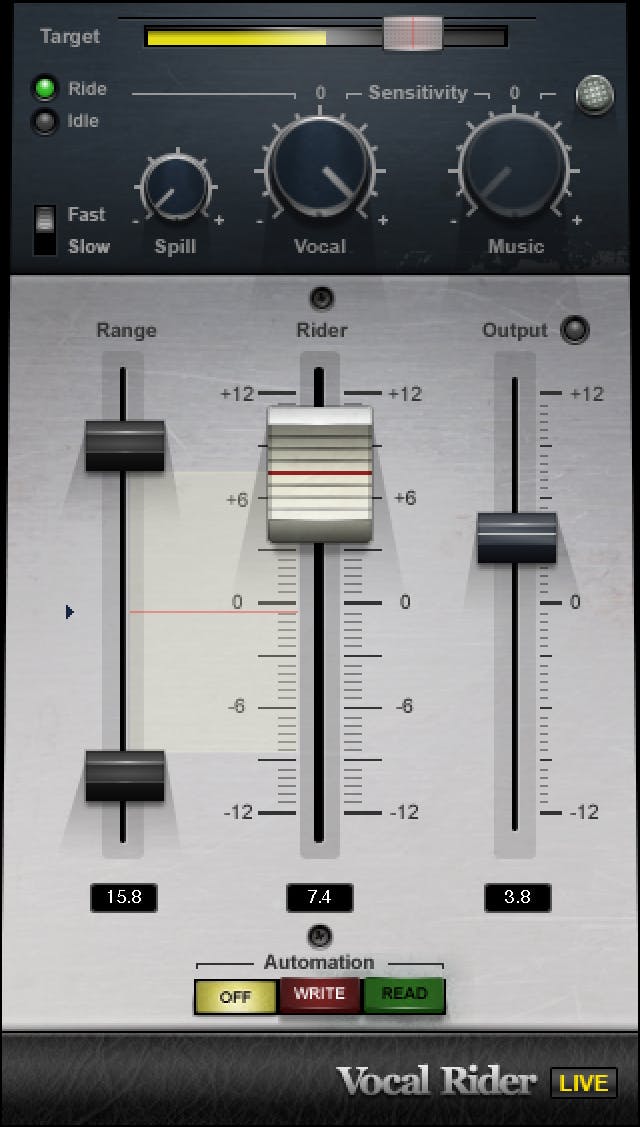
Vocal Rider does one thing and does it well: it rides your vocal level automatically. Instead of drawing a hundred volume automation points by hand to keep a take sitting right, you set a target range and it moves the fader for you in real time, with zero latency.
A scenario where this might be useful is a take that's all over the place dynamically — the singer leaned in on one line and pulled back on the next, and the level's bouncing around before you've even touched a compressor. Vocal Rider evens that out first, so your compressor isn't doing all the heavy lifting.
It also got a V16 HiDPI interface refresh, so it actually looks sharp on a modern display instead of a blurry mess. Honest take: this is a workflow saver, not a magic tone box. It won't make a dull vocal exciting — it just handles the boring level work so you don't have to. Make sure you note the higher system requirements now, too: it wants macOS 13 or newer, or Windows 10 22H2 or newer.
Pros
- Saves you from drawing endless manual volume automation
- Zero latency, so it sits comfortably at the front of a chain
- Refreshed HiDPI interface looks clean on modern displays
- Great prep stage before a compressor
Cons
- It's a level tool, not a tone tool — no character of its own
- Higher system requirements than it used to have
Waves CLA-2A Compressor/Limiter
#2
Waves CLA-2A Compressor/Limiter
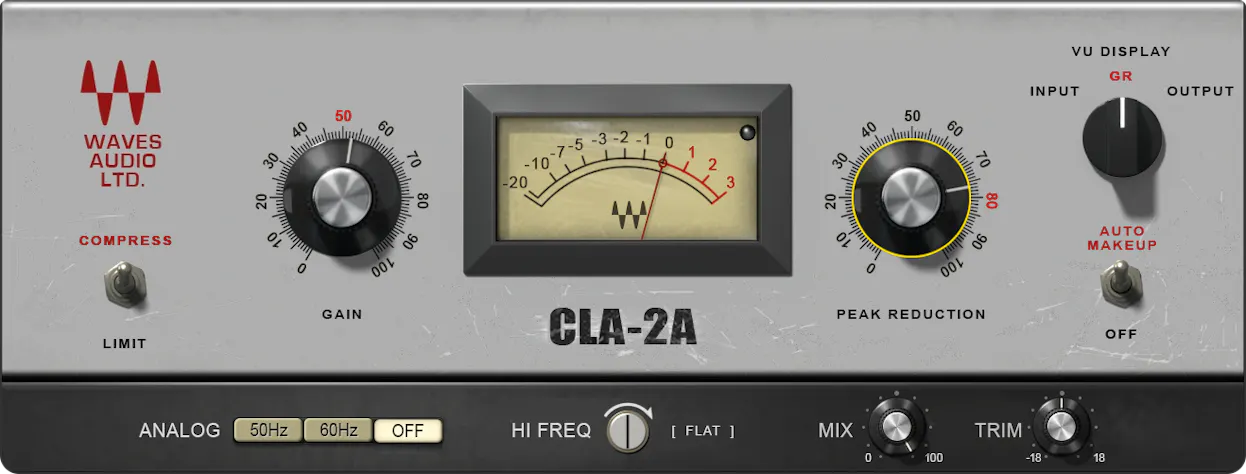
The CLA-2A is an emulation of the classic electro-optical tube compressor — smooth, frequency-dependent, and musical. It doesn't grab the signal hard. It eases into it, which is exactly why it shines on vocals. It also ships with Chris Lord-Alge's personal presets, which are a solid starting point.
A scenario where this might be useful is a vocal that needs gentle glue without sounding squeezed — a soft verse, a smooth lead, anything where you want control but no obvious pumping.
And here's where I'll say it plainly: the in-the-box version holds up against the hardware. The whole "you need the real unit" argument doesn't hold water anymore. Recent V16 tweaks added an Analog Noise on/off switch and made Auto Makeup Gain on by default in LV1 and SuperRack, which are small but welcome. Honest take: it's fantastic on slower, smoother sources, and noticeably less aggressive than the 76. If you want attitude, this isn't the one.
Pros
- Smooth, musical optical compression that flatters vocals
- Holds its own against the original hardware
- Chris Lord-Alge presets give you a fast starting point
- New Analog Noise switch lets you ditch the hiss when you want
Cons
- Not the tool for fast, aggressive material
- Simple controls mean less surgical precision
Waves CLA-76 Compressor/Limiter
#3
Waves CLA-76 Compressor/Limiter
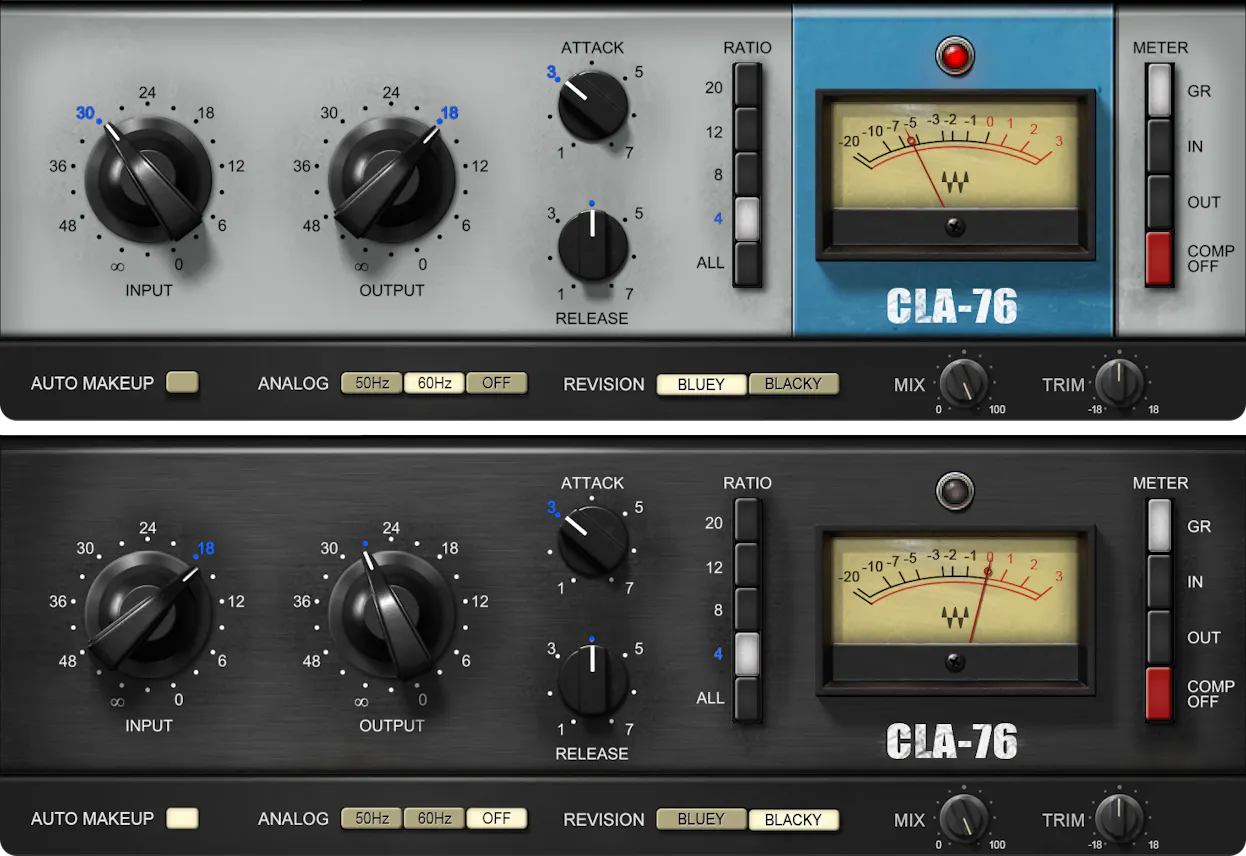
The CLA-76 is a FET compressor based on the UREI 1176 — the first solid-state peak limiter. It's fast and punchy, the opposite end of the spectrum from the 2A. Where the optical comp eases in, this one snaps.
A scenario where this might be useful is a rock or rap vocal that needs to sit up front and grab attention. And if you want it to bite, hit the all-buttons-in trick — push all the ratio buttons at once for that gnarly, saturated grab the 1176 is famous for. Don't be shy about pushing it. Used right, that attitude is the whole point.
It got the same V16 CLA Signature updates as the 2A. Honest take: it pairs beautifully after the CLA-2A as a classic two-stage chain — the 2A levels things out smoothly, then the 76 adds the punch on top. But on its own, the 76 brings plenty of character. If your vocal feels flat and polite, this one wakes it up.
Pros
- Fast, punchy FET character that pushes a vocal forward
- All-buttons-in mode for aggressive, saturated compression
- Pairs perfectly with the CLA-2A for a two-stage chain
- Brings attitude that flat vocals are usually missing
Cons
- Easy to overdo if you're heavy-handed
- Not the smooth, transparent option for delicate vocals
Waves Clarity VX Pro
#4
Waves Clarity VX Pro
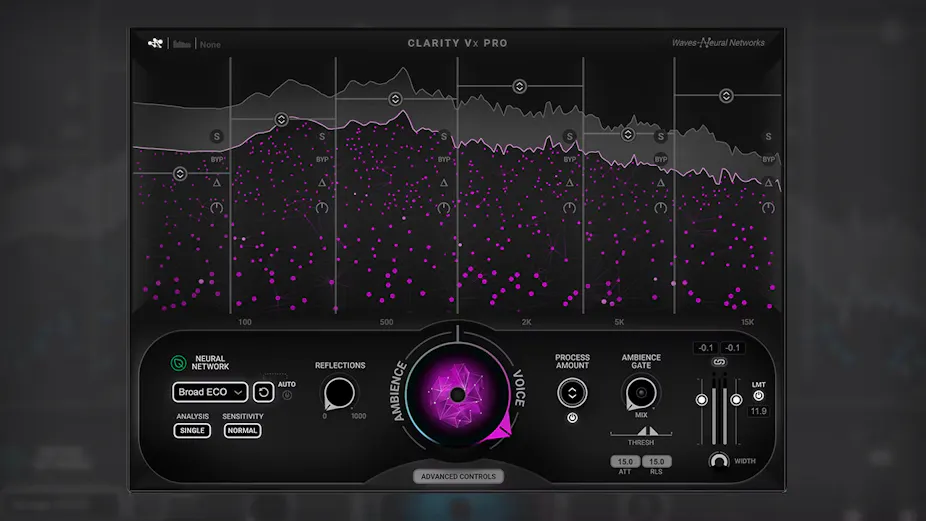
Clarity VX Pro is AI-powered noise reduction that isolates a voice from its surroundings and cleans it up without the obvious artifacts you'd get from older tools. No swirly, underwater sound — just a cleaner vocal.
A scenario where this might be useful is a vocal recorded in a noisy room, or rescuing dialogue and podcast audio that has air conditioning, traffic, or room rumble bleeding in. The V14 update added 6 bands for more control, a built-in limiter, and an auto-reset for the neural network. It's also Apple Silicon native now, and there's a Broad ECO mode that's lighter on your CPU when you don't need full power.
For what it's worth, this plugin won a 75th Engineering Emmy in 2023 — that's not nothing for a cleanup tool. Honest take: it's powerful, but use it surgically. Over-cleaning kills the life in a vocal and leaves it sounding sterile. One heads-up — Clarity VX Pro is sometimes left out of Waves' standard sales and bundles, so check before you assume it's included.
Pros
- AI cleanup that isolates a voice with minimal artifacts
- V14 adds 6 bands, a built-in limiter, and auto-reset
- Apple Silicon native, with a lighter ECO mode for CPU savings
- Emmy-winning tech — genuinely strong at what it does
Cons
- Easy to over-clean and strip the life out of a vocal
- Often excluded from standard Waves sales and bundles
Waves Harmony
#5
Waves Harmony
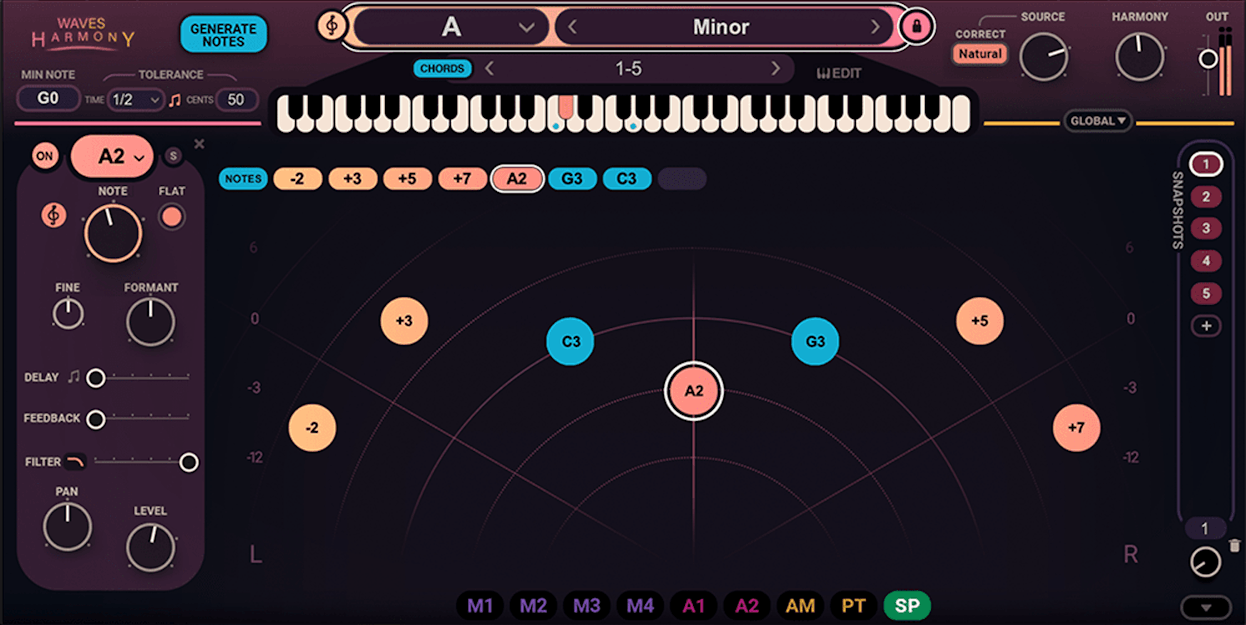
Harmony generates up to 8 vocal harmonies from a single voice. You get per-voice control over pitch, formant, panning, delay, filtering, and modulation, plus more than 450 presets to start from. So each generated voice can sit in its own space rather than all stacking in a clump.
There are three ways to work with it. Automatic lets you scroll through chord presets until you find one that fits. Playable MIDI lets you set your key and scale, then play notes to build harmonies in real time. And Graphical lets you draw the harmonies in by hand for full control.
A scenario where this might be useful is a songwriter who wants to hear stacked harmonies fast without tracking every part separately. Let's give it a listen and you'll get the idea quickly. Honest take: it's a real creative tool, not just a thickener — but you do need to tweak the per-voice settings. Leave everything at default and it can sound a little robotic. Spread the panning, vary the timing slightly, and it comes alive.
Pros
- Up to 8 harmonies from a single voice, fast
- Three workflows cover everyone from beginners to MIDI players
- Deep per-voice control over pitch, formant, panning, and more
- 450+ presets to get you started quickly
Cons
- Sounds robotic at defaults — needs tweaking to feel natural
- Stacked synthetic voices won't fully replace real tracked harmonies
Waves Sync Vx
#6
Waves Sync Vx
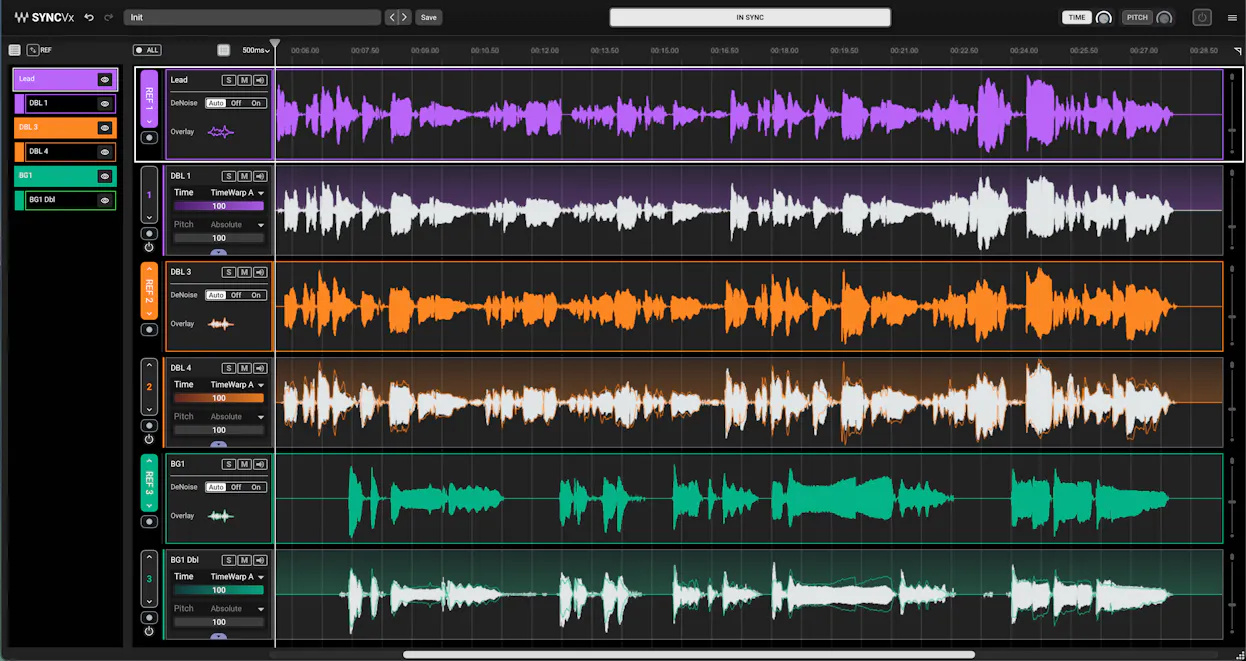
Sync Vx is Waves' vocal alignment plugin, built to lock layered vocals — doubles, harmonies, stacks — to one or more reference takes. The pitch here is the time you save: what used to mean endless nudging and cutting now happens in a single clean window, and you can sync up to 16 tracks against 4 references. It works in pretty much every major DAW, with or without ARA, as an Insert, ARA, or AudioSuite plugin. Early impressions have it landing favorably against VocAlign, and some folks find it easier to get a good result out of — but make sure you go in knowing it's a time-and-pitch-to-reference tool, not a key-based harmony tuner.
Pros
- Aligns big vocal stacks fast, saving hours of manual editing
- One clean window to manage your whole vocal arrangement
- Broad DAW support as Insert, ARA, or AudioSuite
Cons
- It's a time/pitch-to-reference tool, not a harmony tuner
- Best results still depend on having one solid reference take
Waves Silk Vocal
#7
Waves Silk Vocal
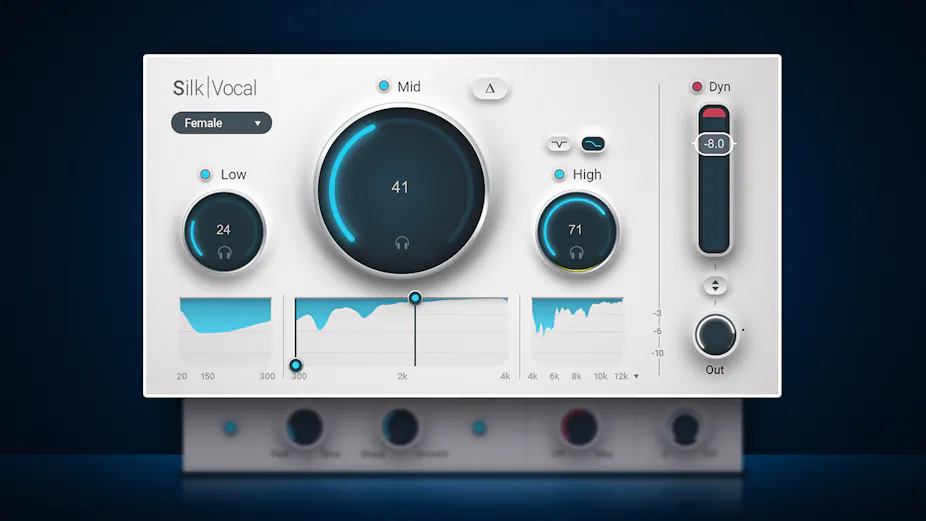
Silk Vocal is Waves' smart EQ and dynamics tool aimed squarely at vocals, and the core idea is simple: you set how much, it figures out where and when. It scans across 2000 analysis bands to catch boominess, harshness, and sibilance, then has separate Low, Mid, and High sections plus a single-dial compressor to keep things tight. The handy bit is you also get Silk Vocal Live, a low-latency version for monitoring while you record or running it in a live rig. It won't replace a real engineer's ears, but for getting a raw vocal balanced fast without stacking five plugins, it does the job.
Pros
- Smart processing handles where and when, so you just dial in how much
- Comes bundled with the low-latency Silk Vocal Live for tracking and live use
- Advanced controls like Delta, Speed, Precision, and Mix give you real depth when you want it
Cons
- Built around vocals, so it's a narrower tool than a general-purpose EQ
- Auto makeup gain and smart processing can mask what's actually happening if you're trying to learn
Waves Curves Equator
#8
Waves Curves Equator
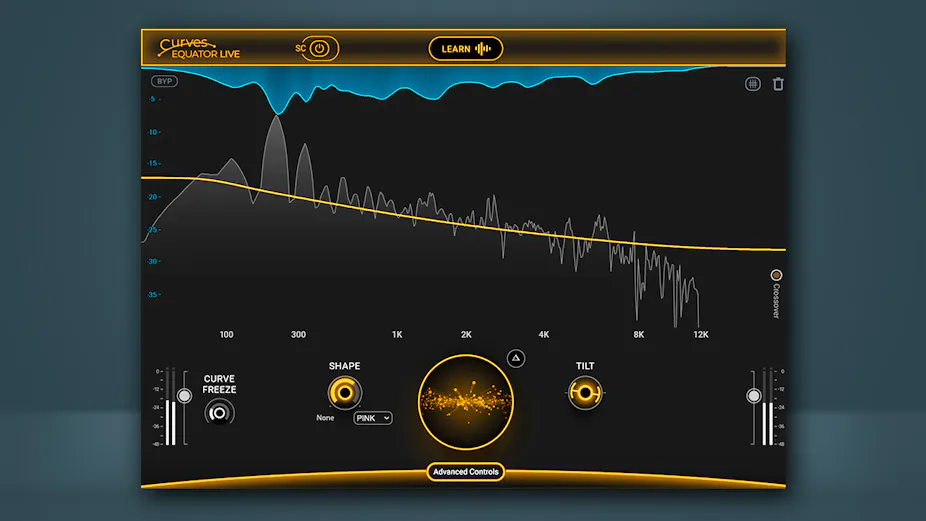
Curves Equator is Waves' take on smart resonance suppression, and it's a genuinely useful tool for cleaning up a mix without going overboard. The Learn feature builds a suppression curve from your actual audio, so you're not fighting frequencies that aren't really there, and the sidechain unmasking is the real standout — Learn your vocal curve, apply the inverse to the instrument bus, and you carve space for both without manual EQ guesswork. It's the first of three Curves plugins now released, and the included zero-latency live version is a nice bonus if you track or run FOH. Less is more applies here, and the Learn approach actually respects that — just don't expect it to outshine a dedicated resonance tool like Soothe2 at pure de-essing-style cleanup, since that's more opinion than fact.
Pros
- Learn feature builds a personalized curve so you don't overprocess
- Sidechain unmasking carves space between clashing sources
- Includes a zero-latency live version for tracking and FOH
Cons
- Pure resonance suppression may be better handled by dedicated tools depending on your taste
- Smart features mean a learning curve before it clicks
| Plugin | Best for | What it does |
|---|---|---|
| Waves Vocal Rider | Level Control | Automatic level riding |
| Waves CLA-2A | Smooth Vocals | Optical compression |
| Waves CLA-76 | Aggressive Vocals | FET compression |
| Waves Clarity VX Pro | Cleanup | AI noise reduction |
| Waves Harmony | Harmonies | Harmony generation |
| Waves Sync Vx | Vocal Alignment | Aligning vocal stacks |
| Waves Silk Vocal | Frequency/Dynamic Control | Automatic mixing |
| Waves Curves Equator | Harsh Vocals | Resonance suppression |
Frequently Asked Questions (FAQs)
Do I need all five of these plugins?
No, you don't need all five on every vocal. Most vocals call for two or three at most — usually some level control and one compressor. Less is more here. Pick the ones that match the problem in front of you and leave the rest out.
Which Waves compressor is better for vocals, the CLA-2A or the CLA-76?
Use the CLA-2A for smooth, gentle compression on soft or slower vocals, and the CLA-76 for fast, punchy compression on aggressive rock or rap vocals. Even better, run them in series — the 2A first for control, then the 76 for punch. It's a classic two-stage vocal chain.
Are these Waves plugins as good as the analog hardware they're based on?
Yes, the in-the-box versions hold up against the original hardware. The CLA-2A and CLA-76 capture the character of the units they model well enough that the "you need real gear" argument is basically dead. Plugins are good enough now that you can mix a whole record without touching a rack.
Is Clarity VX Pro included in Waves sales and bundles?
Not always — Clarity VX Pro is sometimes left out of Waves' standard sales and bundles. So check before you assume it's part of a deal you're looking at. If you specifically need its AI cleanup, confirm it's included rather than getting surprised at checkout.
Are there newer Waves vocal plugins worth considering?
Yes — Silk Vocal is a strong all-in-one that combines de-essing, compression, and gating with smart resonance detection, and Sync Vx handles vocal alignment in time and pitch. Both came out after this list was built and are worth a look, though they sit outside the five core jobs covered here.
Final Thoughts
These five cover the real work a vocal needs done, and they all still hold up in current versions. If I had to start somewhere, I'd grab a compressor and Vocal Rider first — that handles the everyday stuff. Add Clarity VX Pro and Harmony when the job actually calls for them.
And remember, you're not trying to use everything at once. Put the plugin on, react to what you hear, and pull it back off if it isn't helping. Trust your ears and let the vocal tell you what it needs.
Some of the links within this article are affiliate links. These links are from various companies such as Amazon. This means if you click on any of these links and purchase the item or service, I will receive an affiliate commission. This is at no cost to you and the money gets invested back into Audio Sorcerer LLC.