Sibilance is one of the most common vocal problems out there. Those harsh 's' and 'sh' sounds that stab you right in the ears on an otherwise great take. The fix is a de-esser, which is really just a frequency-targeted compressor that ducks those moments and leaves the rest of the vocal alone.
A good one is worth owning. If you mix vocals at all, you'll reach for it constantly. We rounded up five that actually do the job, and the good news is they're all current, supported, and still worth it as of now.
None of these is going to magically fix a bad recording. They each handle sibilance a little differently, so the right pick depends on the kind of work you do. Here's what each one does, what I think, and how to choose.
TABLE OF CONTENTS
What a de-esser actually does
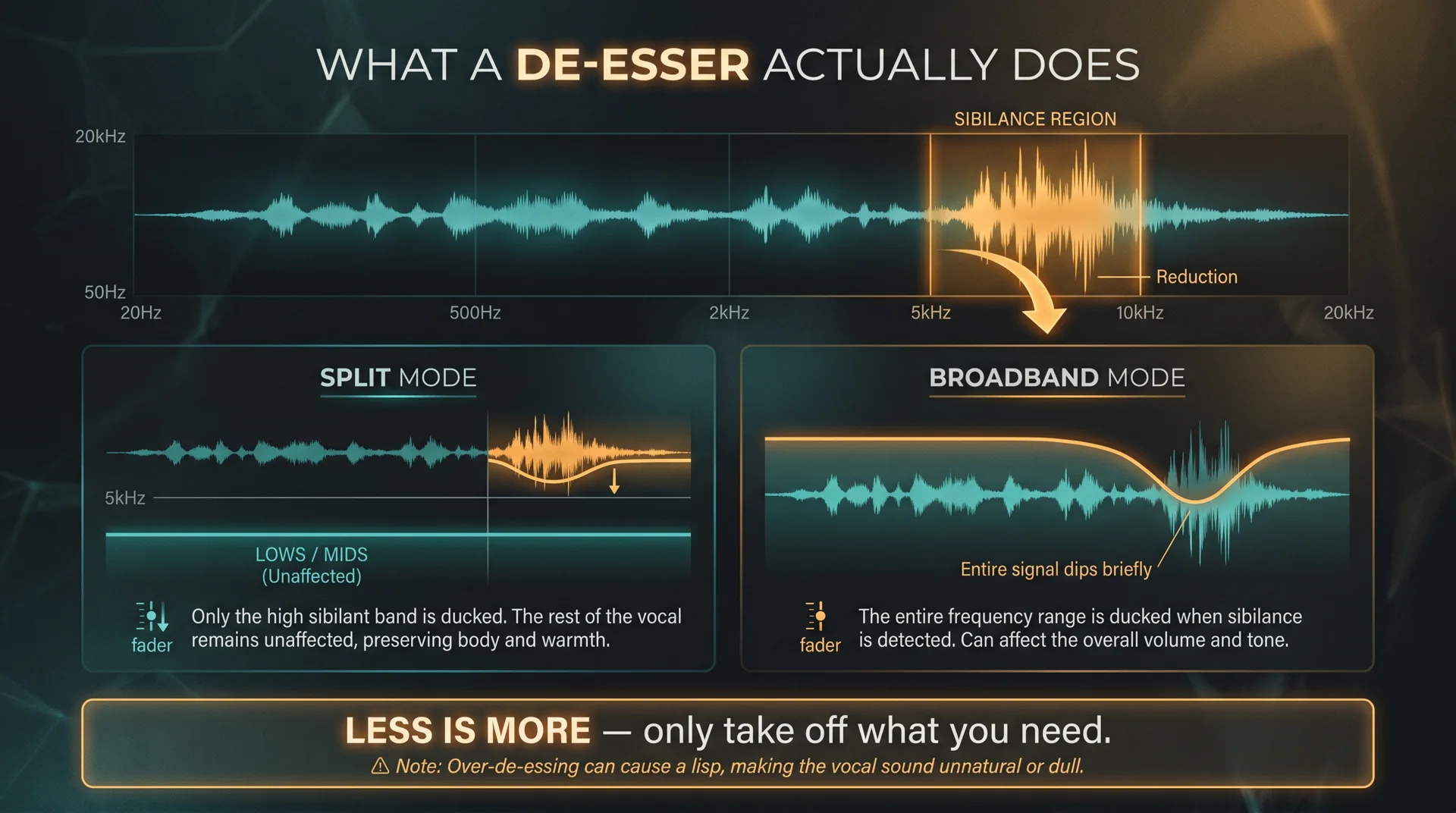
A de-esser listens for sibilance in a specific frequency band, usually somewhere around 5 to 10kHz depending on the singer, and turns it down only when it gets harsh. The rest of the time it sits there doing nothing. That's the whole idea.
Most de-essers give you two flavors. Split mode touches only the sibilant band, so the rest of the vocal stays untouched. Broadband mode ducks the whole signal briefly when a harsh 's' hits. Split is usually more transparent; broadband can feel more natural on certain sources. Trust your ears.
The philosophy here is simple. Less is more. Only take off what you actually need. Over-de-essing turns a singer into someone with a lisp, and that's a worse problem than the one you started with.
The shortlist at a glance
- Slate Digital FG-DS 902 — best overall, an emulation of the classic dbx 902 with that organic, natural character.
- Waves Sibilance — the transparent pick, powered by Organic ReSynthesis so you can brighten without the harshness.
- SSL DeEss — workflow-focused, with split and broadband modes, mid/side processing, and visibility into what you're removing.
- Sonible smart:deess — phoneme detection that finds each sibilant for you, no threshold to set.
- Waves DeEsser — the simple, dependable classic for knocking down sibilance fast.
Slate Digital FG-DS 902 De-esser Plugin
#1
Best Overall
Slate Digital FG-DS 902 De-esser Plugin
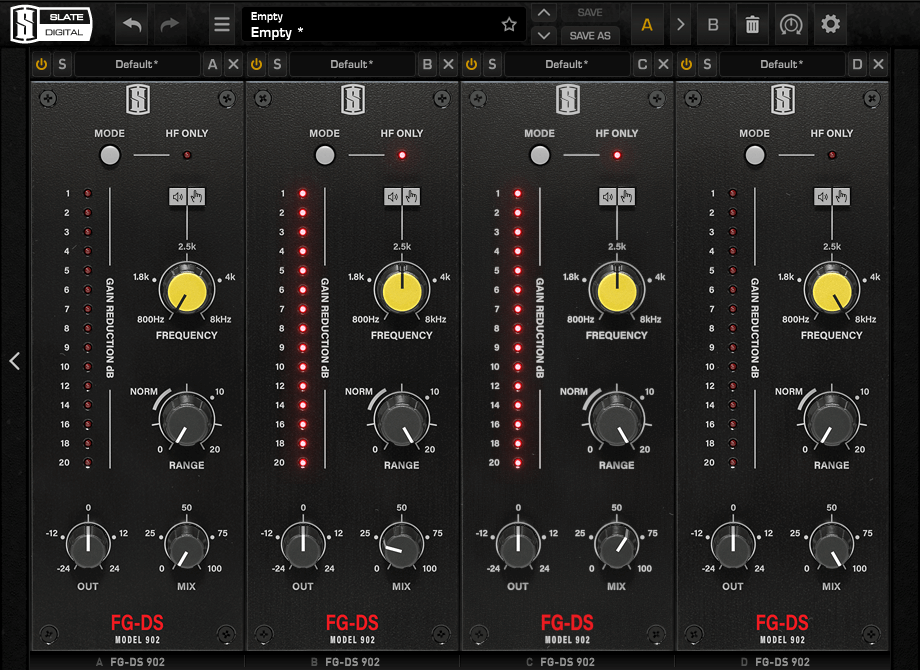
The FG-DS 902 is Slate's emulation of the classic dbx 902 hardware de-esser, built to live inside the Virtual Mix Rack. What stands out is how organic it sounds. It doesn't go clinical or surgical on you. It sounds more like the takes were tracked clean in the first place.
A scenario where this shines is an aggressive pop vocal that needs taming but can't go lifeless. The FG-DS 902 pulls down the harshness without flattening the energy of the performance. That balance of sound and ease is exactly why it tops the list.
You can grab it standalone or through the Slate All Access subscription, and it runs on Mac and Windows in AAX, AU, VST2, and VST3. One honest note: if you already live in the Virtual Mix Rack, this is a no-brainer. If you don't, the VMR ecosystem is a consideration worth weighing. If you do build out a VMR chain, our piece on channel strip plugins pairs nicely with it.
Pros
- Organic, natural character that doesn't sound processed
- Tames aggressive vocals without going lifeless
- Available standalone or via All Access subscription
- Cross-platform with all major formats
Cons
- Tied to the Virtual Mix Rack workflow, which is a plus only if you're already there
Waves Sibilance De-esser Plugin
#2
Runner-up
Waves Sibilance De-esser Plugin
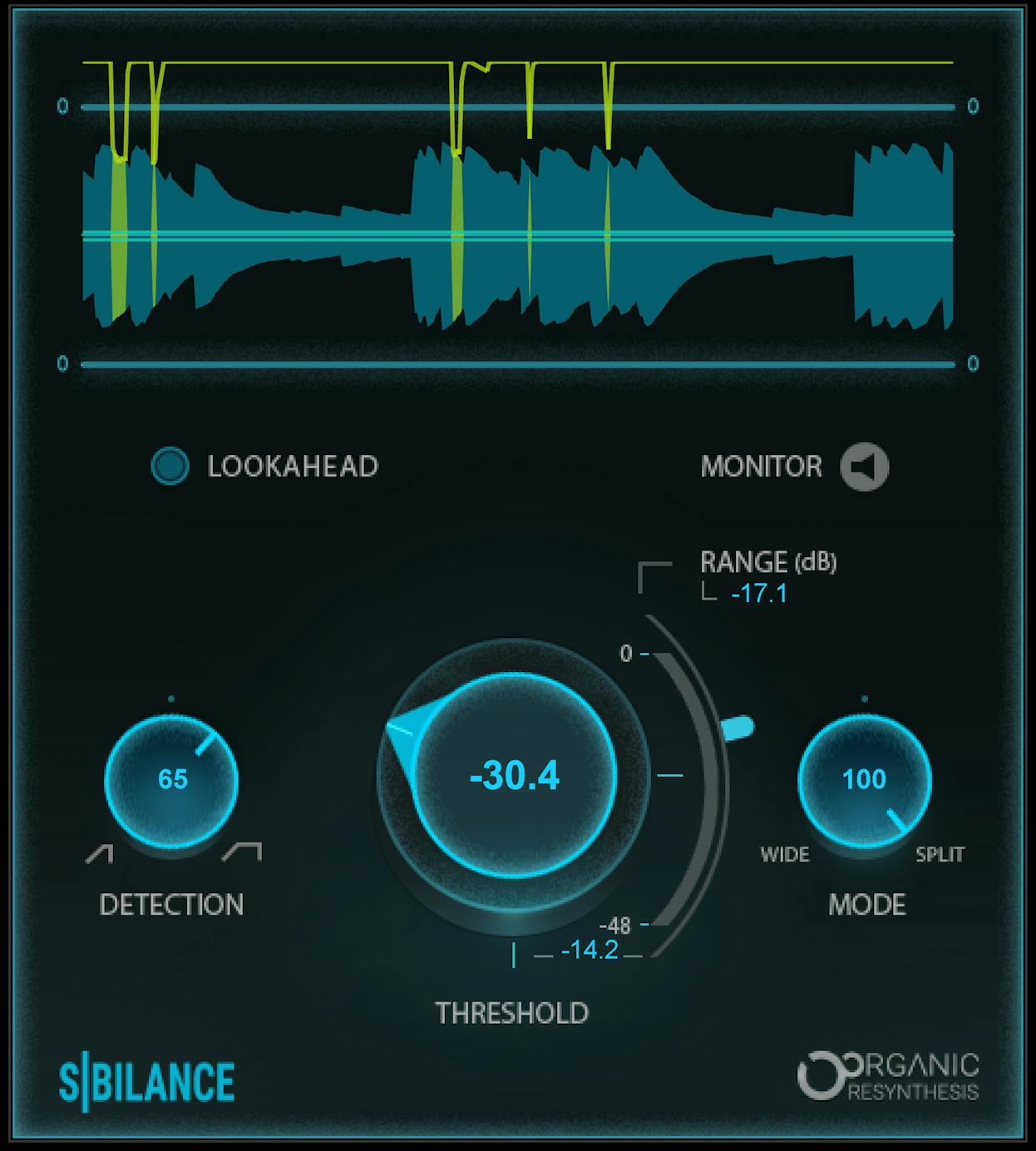
Sibilance is powered by Waves' Organic ReSynthesis engine, and the standout here is transparency. It lets you brighten a vocal without the harshness coming along for the ride. That's a harder trick than it sounds.
A scenario where this is useful is an airy female vocal you want bright and present, but the 's' sounds keep stabbing every time you push the top end. Sibilance lets you have the air without the pain. You can read more about how it works on the official Waves Sibilance page.
It's currently shipping as a V14 plugin with up-to-date macOS support, in AAX, AudioSuite, AU, VST3, and SoundGrid. Honest take: it's a more processing-heavy approach than a simple band compressor, so it asks a little more of your machine. For these results, I think it's worth it. If you run a lot of Waves, our roundup of the best Waves vocal plugins is worth a look too.
Pros
- Genuinely transparent, even when working hard
- Lets you brighten vocals without harshness
- Organic ReSynthesis handles sibilance intelligently
- Current V14 with up-to-date macOS support
Cons
- More CPU-heavy than a basic band compressor
SSL DeEss De-esser Plugin
#3
Top Pick
SSL DeEss De-esser Plugin
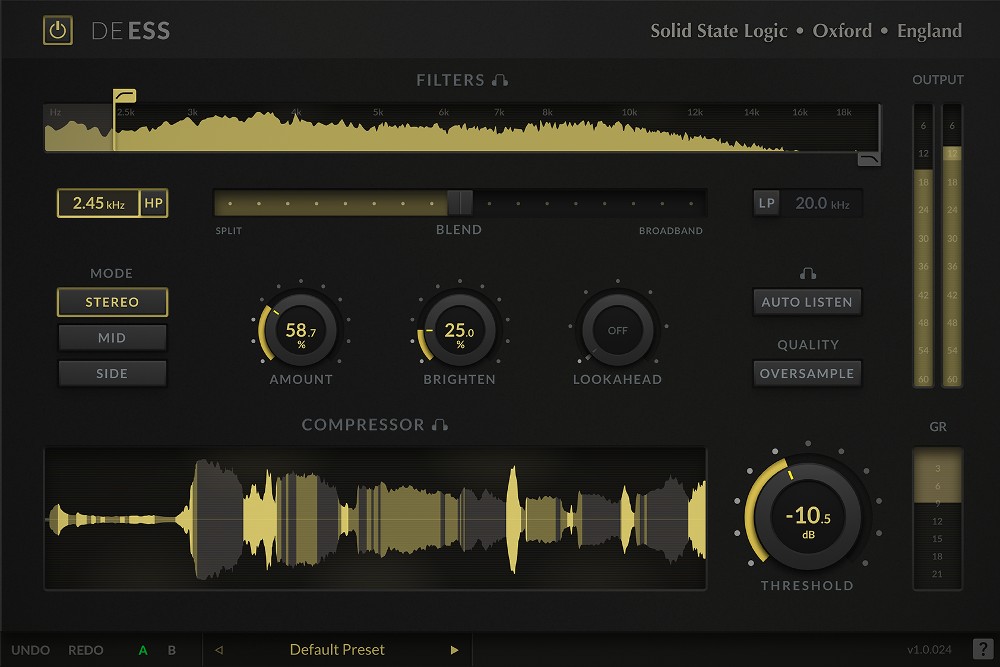
SSL DeEss is a workflow-oriented correctional tool, and it gives you a lot of control. You get a relative-threshold algorithm, both Split and Broadband modes, mid/side processing, an Auto Listen feature to solo exactly what's being ducked, and a Brighten control to add back top end after you've tamed things.
A scenario where this earns its keep is dialogue or a busy vocal where you really need to hear what you're removing before you commit. That Auto Listen is genuinely handy for that. You're not guessing.
Quick correction on an old myth: DeEss now has native Apple silicon support and ships as a universal binary, so if you read somewhere that it doesn't run natively on M1, that's outdated. Honest take: this one's for engineers who want control and visibility into what they're doing, rather than a one-knob solution.
Pros
- Split and broadband modes plus mid/side processing
- Auto Listen lets you hear exactly what's being ducked
- Brighten control adds top end back
- Native Apple silicon support, universal binary
Cons
- More hands-on than some, so it's not the fastest set-and-forget option
Sonible Smart:Deess De-esser Plugin
#4
Top Pick
Sonible Smart:Deess De-esser Plugin
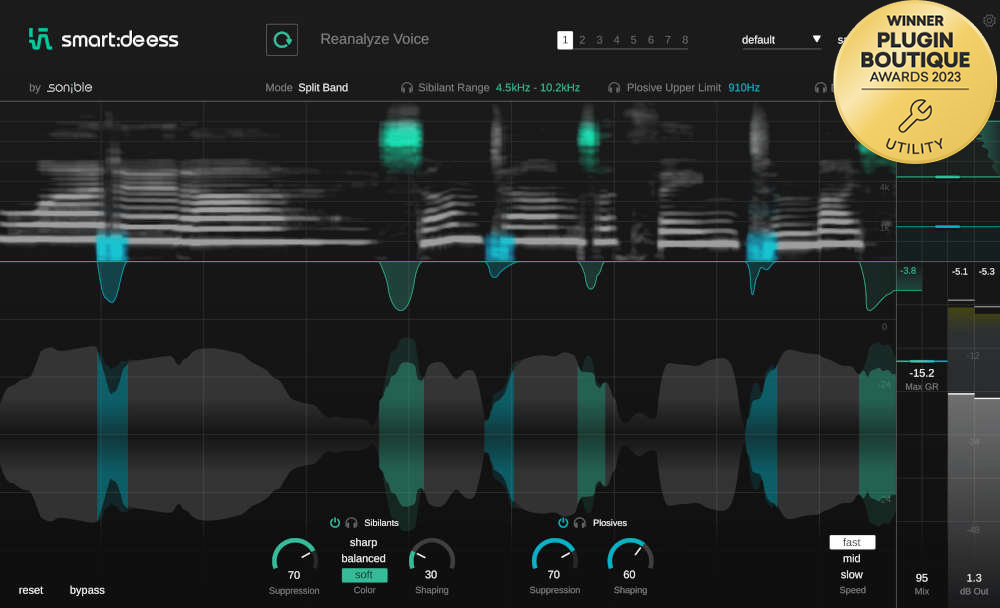
Sonible takes the smart approach. The smart:deess identifies individual phonemes in real time, including S, Z, Sh, Ch, T, and P, and finds the exact start and end point of each sibilant. That means you don't set a threshold. It also processes the entire sibilant rather than just the loudest part, which lands far more natural.
A scenario where this saves your day is having a stack of vocals to get through and no desire to dial each one in by hand. You let the detection do the heavy lifting and move on. It supports mono, stereo, and Dolby 5.1 in AAX, AU, VST, and VST3.
Honest take: the hands-off detection is genuinely good, not a gimmick. It's not the simplest way to solve sibilance, but it's the one that saves the most time when you're working through a lot of material.
Pros
- Phoneme detection finds each sibilant automatically
- No threshold to set
- Processes the whole sibilant for natural results
- Huge time-saver on big vocal sessions
Cons
- More machinery than you need if you only de-ess the occasional vocal
Waves DeEsser De-esser Plugin
#5
Lowest Price
Waves DeEsser De-esser Plugin
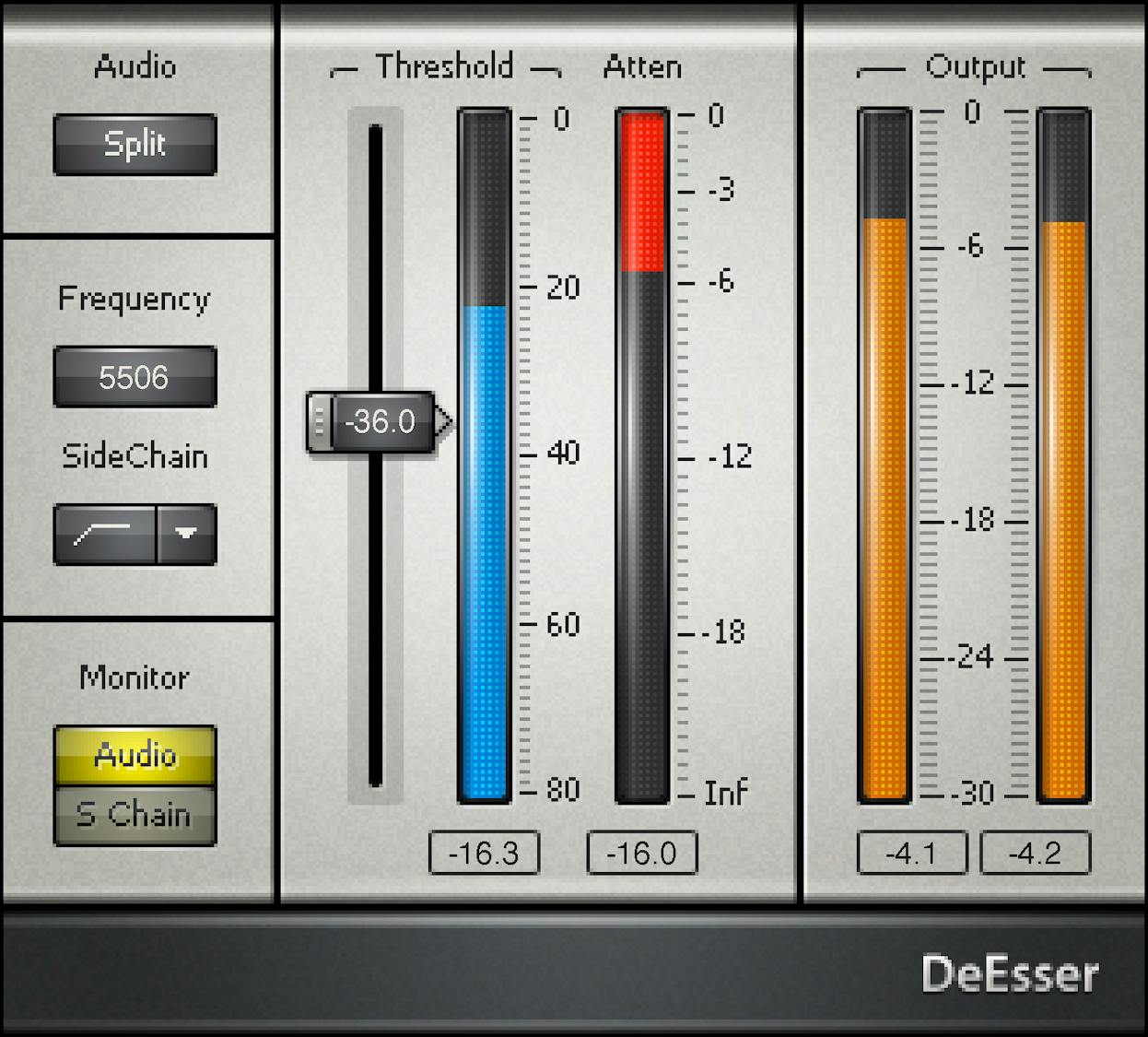
The Waves DeEsser is the simple, dependable classic. Inspired by vintage gear, it does precision de-essing and high-frequency limiting with minimum fuss. No phoneme detection, no deep menus. You point it at the sibilance and knock it down.
A scenario where this is exactly right is when you just need to tame some harsh 's' sounds fast and keep moving. Sometimes that's the whole job.
One thing to watch: this is distinct from the Renaissance DeEsser, which Waves also still sells. Make sure you're grabbing the right one. Honest take: it's no frills and it won't do anything clever, but it gets the job done and shows up in a ton of Waves bundles, so there's a decent chance you already own it.
Pros
- Simple and quick to dial in
- Smooth, natural high-frequency limiting
- Shows up in many Waves bundles
- Reliable workhorse for fast jobs
Cons
- No phoneme detection or advanced features
- Easy to confuse with the separate Renaissance DeEsser
Wavesfactory Re-Esser
#6
Top Pick
Wavesfactory Re-Esser
Re-Esser isn't just a de-esser — it splits your vocal into tonal and sibilant parts, perfectly phase-aligned, so the two always sum back to the original. From there you can turn sibilance down to tame harsh S sounds or up to add air, and there's a whole set of 16 built-in effects you can apply to each part on its own. It's genuinely tuned for voice, and on sung vocals it tames sibilance without dulling the top end, which is the trade-off most de-essers force on you. Less is more here — for everyday de-essing you can do the job with the one Sibilance knob, but the creative routing is there when you want it.
Pros
- Phase-accurate split between tonal and sibilant content with no audible trade-off
- One Sibilance knob handles basic de-essing fast, no thresholds to fuss over
- 16 onboard effects you can apply to each layer independently, plus third-party routing via Groups
- No iLok, three-machine license, native Apple Silicon support
Cons
- Voice-specific, so it's not built for full-mix or mastering duties
- Launch-window users reported no dark mode and some early host bugs
| Plugin | Best for | Standout feature | Formats |
|---|---|---|---|
| Slate FG-DS 902 | Pop and rock vocals | Organic dbx 902 character | AAX, AU, VST2, VST3 |
| Waves Sibilance | Transparent brightening | Organic ReSynthesis engine | AAX, AudioSuite, AU, VST3, SoundGrid |
| SSL DeEss | Engineers wanting control | Auto Listen and Brighten | AAX, AU, VST3 |
| Sonible smart:deess | Hands-off batch work | Phoneme detection | AAX, AU, VST, VST3 |
| Waves DeEsser | Quick and simple jobs | Minimum-fuss workflow | AAX, AU, VST3 |
| Wavesfactory Re-Esser | Work beyond de-essing | Separates sibilance from tonal | AAX, AU, VST3 |
Frequently Asked Questions (FAQs)
What does a de-esser do?
A de-esser reduces harsh 's' and 'sh' sounds on a vocal by turning down a specific high-frequency band only when sibilance gets too loud. It's a frequency-targeted compressor. The rest of the time it does nothing, so the vocal keeps its brightness and energy.
Where in the chain should I put a de-esser?
Put your de-esser after the compressor, in most cases. Compression often brings up quiet detail and exaggerates sibilance, so it makes sense to tame the 's' sounds once that's already happened. With that being said, if your raw vocal is harsh before any processing, an early de-esser can help too.
Should I use split mode or broadband mode?
Use split mode for transparency and broadband mode for a more natural feel on certain sources. Split touches only the sibilant band, so the rest of the vocal stays untouched. Broadband ducks the whole signal briefly. Try both on the actual vocal and trust your ears.
Can EQ replace a de-esser?
No, a static EQ cut can't replace a de-esser because it pulls down the harsh frequencies all the time, even when there's no sibilance, which dulls the whole vocal. A de-esser only acts on the loud 's' moments. That dynamic behavior is the entire point.
Are there any good free de-essers?
Yes, Techivation T-De-Esser 2 is a solid free option that's easy to use and improves on its predecessor in sound and features. If you want to go deeper, newer next-gen tools like Wavesfactory Re-Esser separate sibilance from the tonal content so you can shape each part independently.
Final Thoughts
Any of these five will get sibilance under control. If I had to pick one, the Slate FG-DS 902 gives you the best balance of natural sound and ease. Sonible's smart:deess is the time-saver, SSL DeEss is the control freak's choice, Waves Sibilance is the transparency king, and the Waves DeEsser is the quick, dependable workhorse.
Whichever you reach for, remember to go easy. Take off only what you need, listen on headphones, and stop before the singer starts to lisp. Less is more, every time.
Some of the links within this article are affiliate links. These links are from various companies such as Amazon. This means if you click on any of these links and purchase the item or service, I will receive an affiliate commission. This is at no cost to you and the money gets invested back into Audio Sorcerer LLC.